GDMUX / AI WORKSPACE FOR MAC

Your AI coding tasks,
together.

gdmux brings your terminals and AI tasks together.
Use gid for coding, and gdm to verify the results.

macOS 13+Apple Silicon & IntelPublic preview

THE DOT SHELLGODONG

From the first idea,
to a finish you can verify.

GDMUX / TERMINAL WORKSPACE

Scattered tasks,one view.

Focus on your work, not on finding terminals.
See AI task status and recent output together.
Return to the task that needs you.

Explore gdmux Your usual shell. Your usual commands.
my workspace3 tasks
web / gidRunning
› Refine the login screen

Improving the input flow.

↳ src/Login.tsx
api / ClaudeNeeds review
2 changed files

Updated the response format.

Please review the changes.
docs / shellTerminal
~/projects/docs

$ git status

working tree clean
ctrl b wA wider view of your work.

Illustrated workflow · Actual app demos below

View the gdmux demo
gdmux task canvas · Default themePublic demo · Korean UI

gdmux task canvas · Default theme

gdmux task canvas showing project tasks and AI responses

On smaller screens, scroll sideways to see the details.

Actual terminal with the default theme. Example task data; screenshots show the Korean interface.

GID / CODING CONVERSATION

From a request,to reviewed code.

Choose a model and describe the change.
Approve actions when needed.
Inspect what changed for yourself.

Explore gid Requires the official Codex or Claude CLI and sign-in.
Your request

Fix the login error.

I found the cause.
Review the action before it runs.

Approval requested
bun test loginRead the action, then decide
Changeslogin.ts−1 / +1
−return response.data;
+return response.data ?? null;

Illustrated workflow · Actual app demos below

View the gid demo
gid conversation and review · Default themePublic demo · Korean UI

gid conversation and review · Default theme

gid review view with a coding conversation and code changes side by side

On smaller screens, scroll sideways to see the details.

Actual terminal with the default theme. Example task data; screenshots show the Korean interface.

GDM / WORK VERIFICATION

Give “done”some evidence.

Decide what to check first.
Run the commands and keep the results.
Finish with a record you can inspect.

Explore gdm Use the CLI directly or through an AI agent skill.
LEAVE A TRACE.
WORK RECORDgdm

Fix a login error

Completion criteria
Check error handling for login requests
Check command
bun test login
Recorded evidence
Actual output · Exit code · SHA-256
A finish
you can verify.

Illustration · Not an actual verification result

Organize. Build. Verify.Choose the tool you need

ONE FLOW, THREE TOOLS

Unfold your
next idea.

From organizing tasks to writing code and verifying results. Start with the tool you need today.

THE GDM COLLECTION
Organize. Build. Verify.

GDMUX · MAC → IPHONE

Your next instruction,
away from the desk.

Check gid tasks running on your Mac.
Send follow-ups and approve important actions.

Get the iPhone app
On the App Store · iOS 17+Your Mac and its connection service must stay on and online.
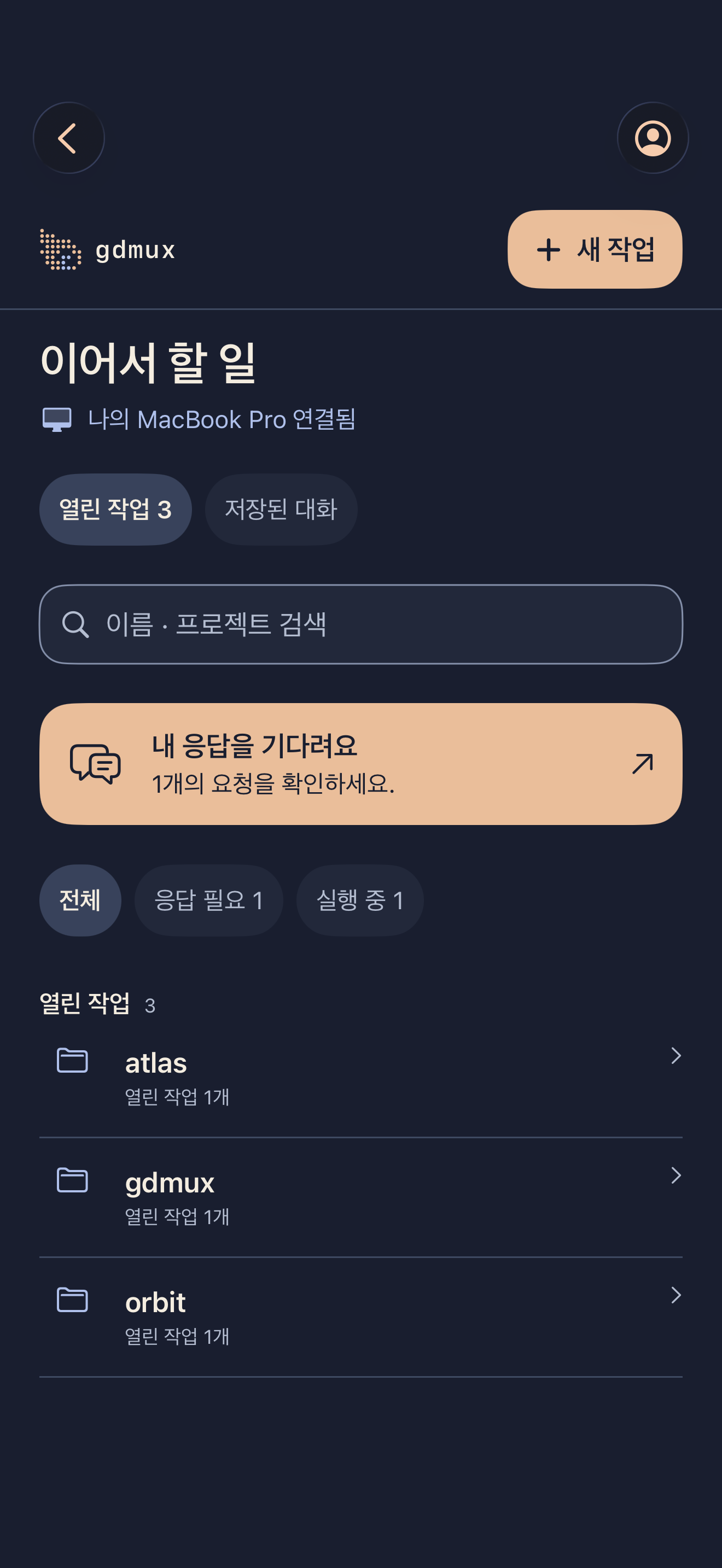
Public demo of the gdmux iPhone app showing tasks by project
Actual app · Example data · Korean UI shown

MAKE ROOM FOR YOUR NEXT IDEA

Make room for
your next idea.

Start with one tool or install all three.
We’ll guide you from installation to your first task.

Install and get started